Changelog for TUFLOW Plugin v2026.0.0
Release date: 27 March 2026
- General Notes
- New Features and Enhancements
- Legacy TUFLOW Viewer in Maintenance
- TUFLOW Viewer V2
- TUFLOW Version Manager
- Browser Support for TUFLOW Control Files
- Linux Improvements
- Import Empty Tool Updates
- Import Empty Tool - Update Empty Type List to Include Geometry
- Import Empty Tool - Save Directory Options
- ARR to TUFLOW - Update to Climate Change Initial Loss Options
- Bug Fixes
General Notes
The 2026.0.0 release is a major release of the TUFLOW Plugin that includes several big new features. The most significant of these is the new TUFLOW Viewer V2, which is a new version of the TUFLOW Viewer tool that has been overhauled to improve the user experience and performance when viewing TUFLOW results in QGIS.
Other changes include:
- Updating the versioning convention to
YYYY.minor.patchformat, where the major version is the year of the release. This change is to bring the TUFLOW plugin into alignment with the TUFLOW versioning convention. - TUFLOW Version Manager - A new tool to manage TUFLOW versions and make it easier for users to select TUFLOW versions when using tools that require TUFLOW executables.
- Improvements to Linux support, including case-insensitivity for certain tools and improved testing of TUFLOW Viewer V2 on Linux.
New Features and Enhancements
Legacy TUFLOW Viewer in Maintenance
The legacy TUFLOW Viewer is now in maintenance. This means that no new features will be added and only critical bugs will be fixed. Users are encouraged to switch to the new TUFLOW Viewer V2, which has a more integrated experience and improved performance when viewing TUFLOW results in QGIS.
The legacy TUFLOW Viewer has been ported across to QGIS 4.0 and will continue to be available for users who prefer it or have workflows that rely on it. However, although it should work on Linux operating systems, it has not been regularly tested on Linux and may have some issues.
TUFLOW Viewer V2
TUFLOW Viewer V2 is a new version of the TUFLOW Viewer tool that has been updated to give the user a more integrated experience when viewing TUFLOW results in QGIS.
The new tool overhauls many aspects of the existing (legacy) TUFLOW Viewer, including the docking widget, plotting library, and result extraction process. The tool also now uses PyTUFLOW under the hood, which will also give a boost in performance overall, and a significant boost in performance for certain operations.
Features of the new TUFLOW Viewer include:
- Faster load times for big TPC results.
- Faster plotting times, especially for section plots from XMDF results.
- More interactive plots and dynamic plots, including the ability to have multiple plot tabs and plot windows open.
- Adoption of native QGIS controls and widgets.
TUFLOW Version Manager
The plugin now uses a TUFLOW version manager to make it easier for users to use various tools without the need to repeatedly browse for TUFLOW executables.
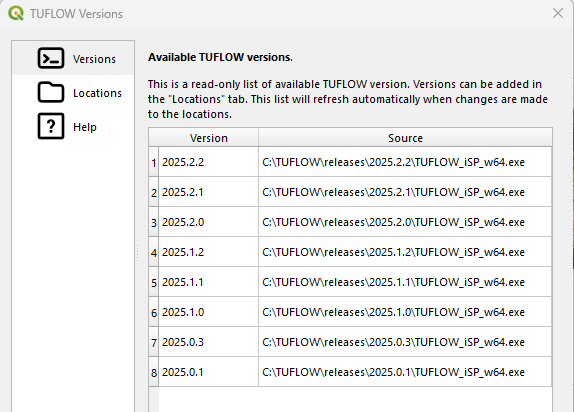
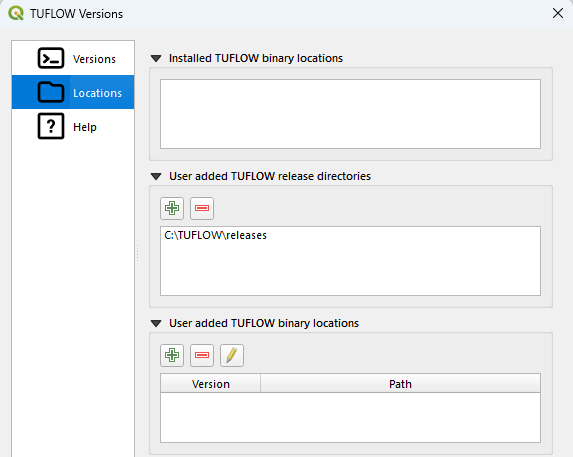
The manager:
- Automatically detects installed TUFLOW versions. That is, when TUFLOW is installed via the
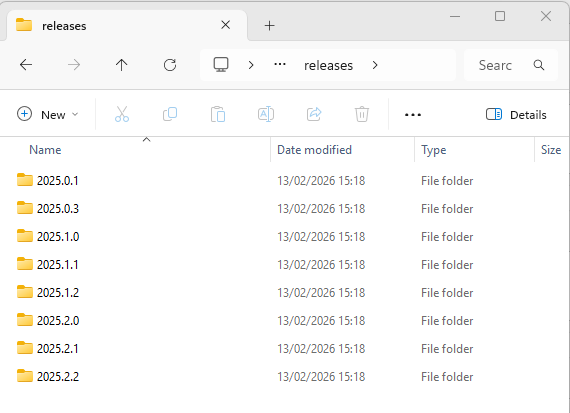
.msiWindows installer or via the.debor.rpmLinux packages. - Allows users to select locations where TUFLOW versions are kept. Users can select locations where all TUFLOW versions are kept and the tool will dynamically update when new versions are added.
- Allows users to select specific TUFLOW
.exefiles as desired.
Within tools such as the Create TUFLOW Project tool, instead of selecting a TUFLOW executable file path, users can now select a TUFLOW version from the dropdown list.
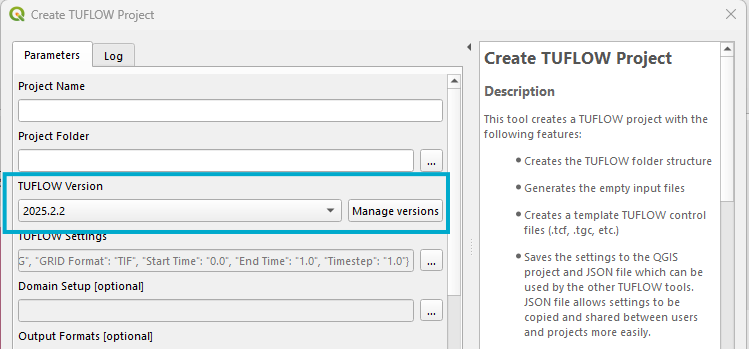
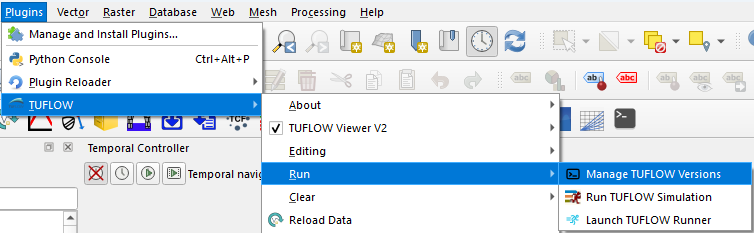
Tools that use TUFLOW versions will have a button to get to the manager. The manager can also be accessed via the TUFLOW plugin Run menu
Browser Support for TUFLOW Control Files
Experimental
TUFLOW control files will now appear in the QGIS browser panel. The control file can also be expanded to show the layers that are referenced in the control file. The control file is organised into a tree structure that reflects the structure of the control file. This means that other control files are visible and can themselves be expanded to show their referenced layers.
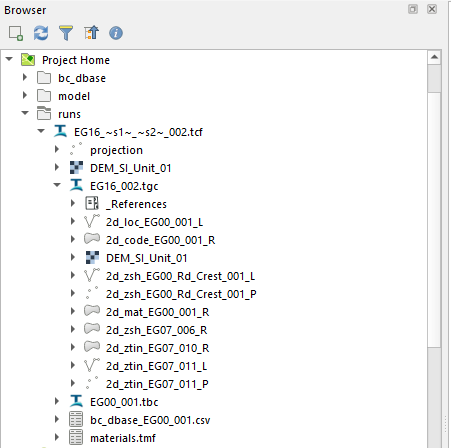
The browser support also has the following features:
- Lists each time a file is referenced and the scope of the reference (i.e. if it is referenced in a “If Scenario” block)
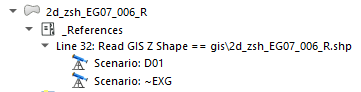
- Highlight if a file is missing
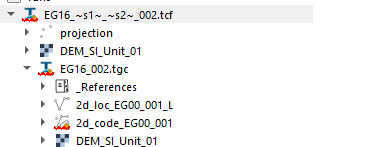
- Preview databases (found in right-click context menu)
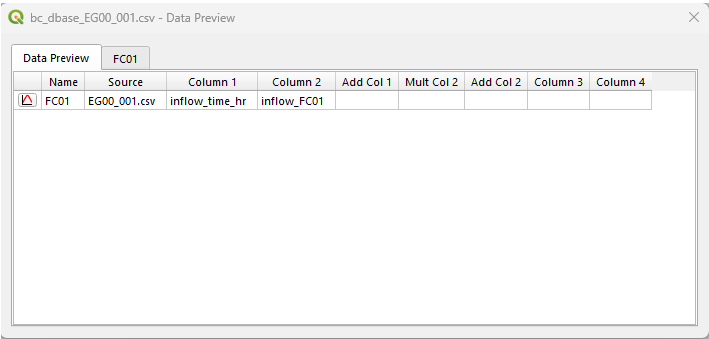
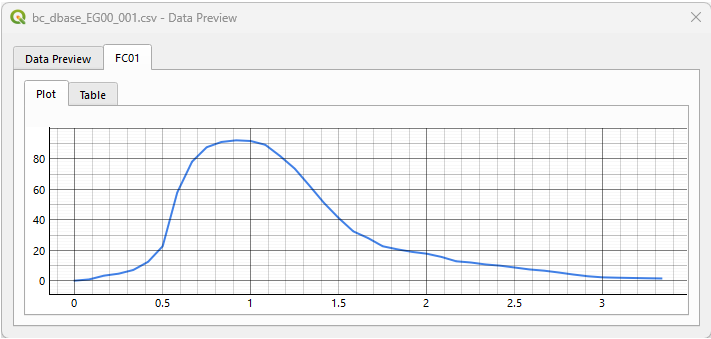
- Plot from database entries (click plot icon in database entry)
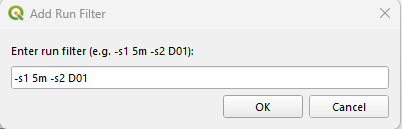
- Apply a run filter to show only relevant files (found in right-click context menu)
- Open control files in external editor (found in right-click context menu)
This feature is currently experimental. The functionality may change in the future without notice and does not currently support all features of a TUFLOW model.
Linux Improvements
The TUFLOW Plugin has unofficially supported Linux for some time, however many features were not regularly tested and some tools within the plugin did not support Linux. A number of improvements have been made so that the TUFLOW Plugin works better on Linux.
There are a number of tools that worked prior to the 2026.0 plugin release, however, they have been improved and are now case-insensitive. The case-insensitivity applies to parts of the file referenced in the TUFLOW control file (this is typically just a relative reference). The tools that have been improved include:
- Load TUFLOW Layers from TCF
- Convert TUFLOW Model GIS Format
Tools that use TUFLOW executables, such as the Create TUFLOW Project tool, will now automatically find TUFLOW versions that have been installed on Linux via the .deb or .rpm packages. See the TUFLOW Version Manager section for more details.
For result viewing, TUFLOW Viewer V2 will be more robust on Linux due to improved testing. The use of PyTUFLOW under the hood, which provides Linux support, will also provide a more reliable experience.
The SWMM toolbox has also been updated to be more robust on Linux.
Import Empty Tool Updates
The old Import Empty tool has been removed and replaced with the newer Import Empty tool that sits within the TUFLOW toolbox. The new tool has been available for some time (introduced in v3.9) and has co-existed with the old tool. The major update of the TUFLOW Plugin and the arrival of QGIS 4.0 has made it a good time to remove the old tool and make the new tool the only option for importing empty TUFLOW layers.
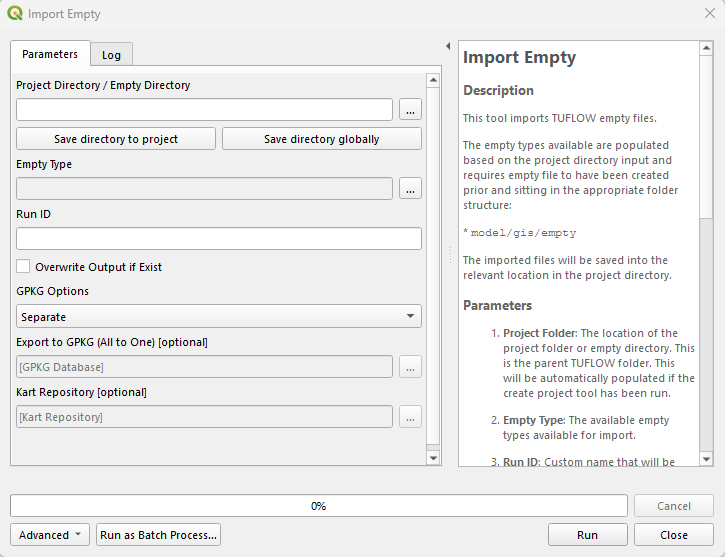
The new tool is almost identical to the old tool except that it sits within the toolbox context and has a number of minor improvements. There are numerous reasons why the old tool was removed, including:
- The old tool used deprecated QGIS APIs.
- A number of users found that the encoding of output files from the old tool could become confused and lead to garbled attribute names. The new tool has improved handling of encoding and this issue should no longer occur.
- The new tool sits within the toolbox context. This means that it will automatically save a history. It also automatically becomes exposed through the QGIS algorithm API, making it possible to call the tool from other tools and plugins. This can be done either through PyQGIS or through the graphical model designer (along with other TUFLOW toolbox algorithms).
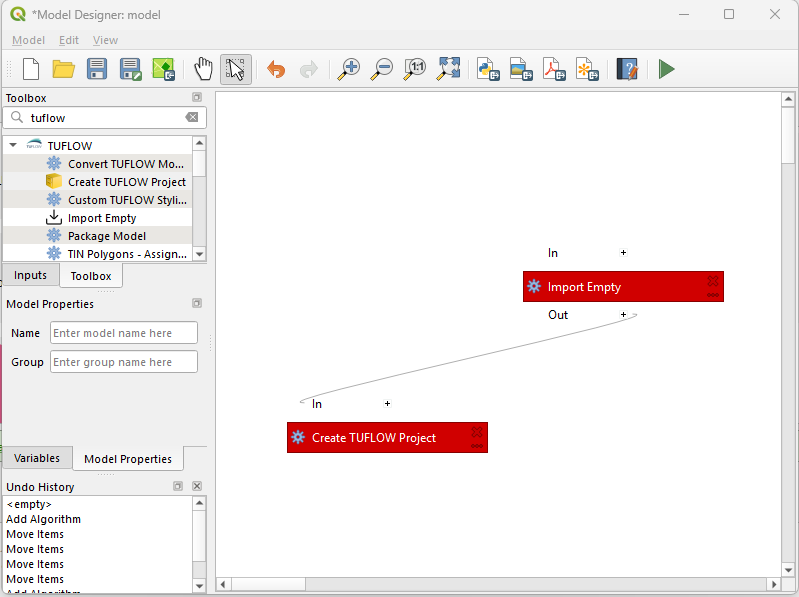
Note: The toolbar button has not been removed, it still exists and will open the new tool. This is the same as initialising the tool from the toolbox.
Import Empty Tool - Update Empty Type List to Include Geometry
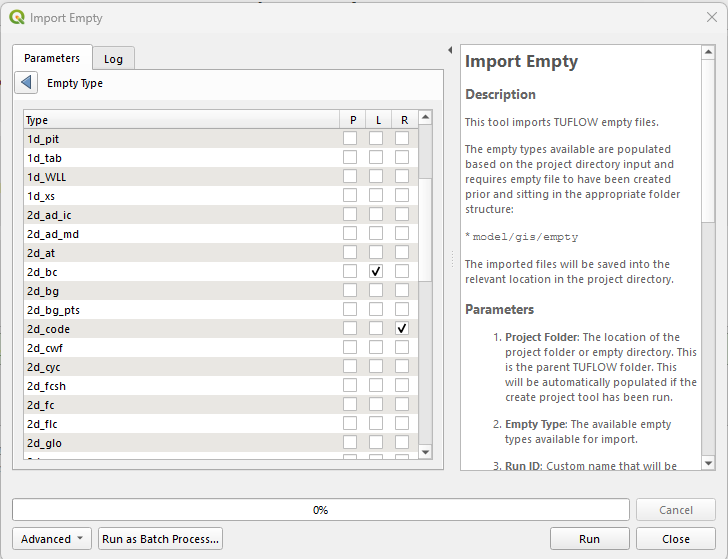
The import empty tool has been updated so that the empty type list includes the geometry option alongside the empty type name. Previously, the geometry type was a separate global selector. This meant that imported empty types had to use the same geometry type. The new update means that different empty types and different geometry combinations can be selected in the same import operation.
Import Empty Tool - Save Directory Options
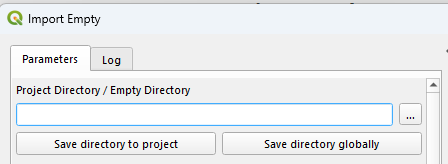
A Save directory to project and Save directory globally option has been added to the import empty tool to enable the user to save a selected project or empty directory location for future use. This option existed in the old import empty tool and has been added to the new tool to ensure no functionality is lost with the removal of the old tool.
ARR to TUFLOW - Update to Climate Change Initial Loss Options
The climate change loss options have been updated to have named options for different methods of applying the climate change initial loss adjustments. The options have not changed, however, the names have been updated to be more descriptive.
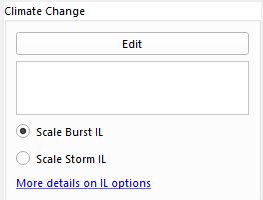
The options are:
- Scale Burst IL - This method applies the climate change factors to the storm burst initial loss values (i.e. after the burst loss has been calculated from the storm loss and preburst rainfall depths). This method is the same as the old or previous method.
- Scale Storm IL - This method applies the climate change factors to the storm initial loss values (i.e. before the burst loss has been calculated). The burst initial loss is then calculated from the adjusted climate change rainfall depths and the preburst ratio. This method is equivalent to the new method introduced in the
3.16.0plugin release.
The new and old denotations are used only as guidance on when the methods were added. They do not imply that one method is preferred over the other, or that one is a more modern or “up to date” method. The new method was made the default since v3.16.0, however, it has been found that this can sometimes lead to reduced burst initial losses in some circumstances, which may not be desired. For this reason the old method has been made the default again, however, any previous option selected by the user will be remembered between tool runs.
Bug Fixes
- ARR to TUFLOW - Fixed a bug when outputting a complete storm event for AEPs that did not have preburst depth data. Previously this could cause a Python error and the tool to bail out with an error. The tool will now output the design storm event for these AEPs.
- ARR to TUFLOW - Fixed a bug where the complete storm event used un-factored pre-burst rainfall depths for climate change events. The pre-burst depths are now calculated as
Preburst_cc = IL_cc - ILburst_ccwhere theILburst_ccis calculated based on either the Scale Burst IL or Scale Storm IL method (depending on the user’s selection). - Integrity Tool - Fixed a bug where the flow trace tool was not selecting pits in the trace.